No. 05 · Electrician
Voltwell Electric
A bold, high-contrast website for a residential electrician, where customers pick their job and see what to expect before they book.
- Classification
- Independent concept
- Business
- Voltwell Electric (fictional)
- Project type
- Single-page website concept
- Year
- 2026
- Type
- Saira
The brief
The brief
Design a website for a residential electrical contractor. Many people searching for an electrician don't know what the job involves, how long it takes, or whether it's urgent. The site should answer those questions quickly, highlight newer work such as EV chargers, and make booking simple.
Goals
- 01Explain common jobs in plain words before anyone calls
- 02Highlight EV chargers and panel upgrades
- 03Give useful safety guidance about when to call
- 04Keep the phone number one tap away on every screen
On every screen
Designed for phones first


The work
The approach
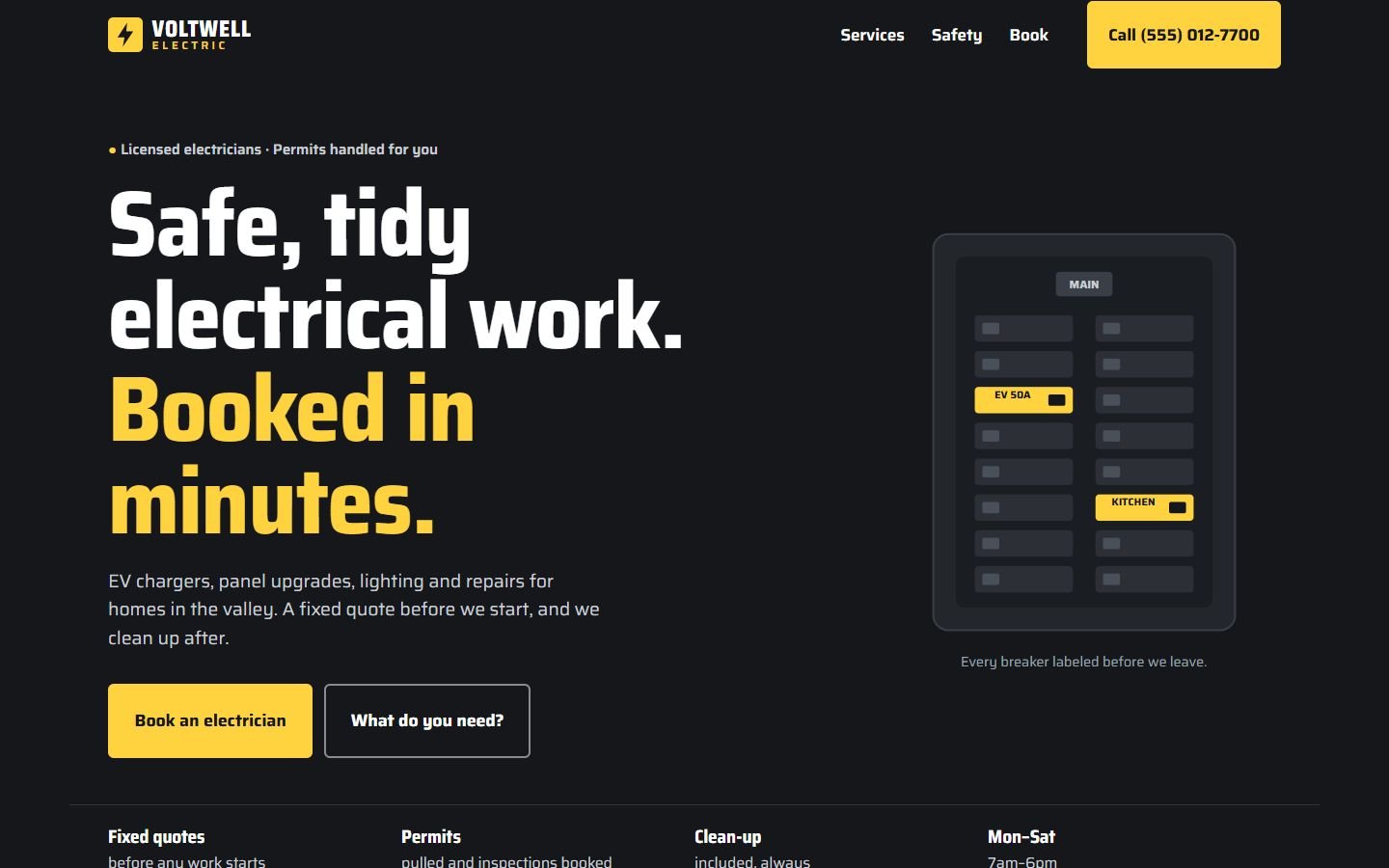
Electricians are trusted on safety and tidiness. The site leads with both: “Safe, tidy electrical work.” Charcoal and an electric yellow used sparingly give it energy without looking like a hazard sign. Saira, a technical sans with a condensed width, handles everything.
The hero illustration is a breaker panel drawn in code, with the EV and kitchen circuits highlighted and labeled. It’s a small promise (“every breaker labeled before we leave”) made visible.
Decisions worth noting
- Pick a job, see what to expect. Six common jobs, each with a typical time and a plain explanation. It answers the questions people otherwise call to ask.
- “Book this job” carries the choice. Choosing a job and pressing book fills in the booking form, so nobody types it twice.
- Safety advice, honestly. A short list of warning signs, with a clear “don’t open the panel yourself.”
How it’s built
One static page. The job selector uses real radio buttons styled as cards, so it works with a keyboard and screen readers, and the detail area updates politely for assistive technology. The illustration is inline SVG. Fonts are self-hosted.
What would change for a real client
The contractor’s license number, service area, real photos and reviews, and a booking form connected to their scheduling tool.
What’s on the site
Features actually built
- Sticky header with a tap-to-call button, shortened to "Call" on small phones
- Breaker-panel illustration made in code, with labeled circuits
- "Pick a job" selector: six jobs, each showing typical time and what happens
- "Book this job" buttons that pre-fill the booking form
- Safety section listing warning signs worth a call
- Booking form with job type, address and notes (demonstration only, nothing is sent)
Palette
- Charcoal
#15171A - Electric yellow
#FFD23F - Steel
#E7EAEE